
Frequently Asked Questions

Product Information & Overview

What is the WebMCP Gateway and what problem does it solve?

The WebMCP Gateway is an open-source MCP server built by Salespeak AI that acts as a bridge between AI assistants (like Claude and ChatGPT) and websites with WebMCP tools. It solves the problem of AI agents needing to 'ask any website' a question and get a direct, structured answer back, rather than just browsing HTML. The gateway handles discovering tools on a website, selecting the correct one based on the AI's request, invoking it, and waiting for the actual asynchronous response before returning it to the AI. This transforms websites into callable APIs for AI agents. Source

How does the WebMCP Gateway work?

The WebMCP Gateway operates on a three-layer pipeline: Detection (a fast HTTP check for WebMCP tools), Discovery (a full browser-based process to find all tools and their schemas), and Invocation (calling a tool and waiting for the actual response, not just a confirmation). It intelligently selects the right tool based on whether the AI provides structured arguments or a simple question string. Source

What is the definition of WebMCP?

WebMCP is a bridge protocol that connects existing websites to the Model Context Protocol (MCP) ecosystem. It wraps a site's existing functionality—such as APIs, forms, content pages, and search—into standardized MCP tool definitions that AI agents can discover and call. WebMCP acts as a translation layer, converting communication between a website's HTTP and an agent's MCP. Source

What is the long-term vision for the WebMCP Gateway?

The WebMCP Gateway is part of a larger vision for a future where every website also functions as an API, blurring the line between 'browsing' and 'calling tools.' Instead of manually opening multiple tabs to compare information like vendor pricing, a user could simply ask an AI like Claude: "Compare pricing on store-a.com, store-b.com, and store-c.com". The AI would then use the gateway to call the WebMCP tools on each site and return a consolidated comparison, making information gathering significantly more efficient. Source

Who built the WebMCP Gateway?

The WebMCP Gateway was built by Salespeak AI and is available as open source under the MIT license. Source

Features & Capabilities

What are the core tools exposed by the WebMCP Gateway's server?

The WebMCP Gateway is built on a FastMCP server that exposes three primary tools, each corresponding to a layer in its processing pipeline:

Source

How does the WebMCP Gateway select which tool to call?

The WebMCP Gateway uses a selection priority:

  1. If the AI passed structured arguments (tool_args), it finds a structured tool.
  2. If the AI passed a question, it looks for known Q&A tool names like ask_question, ask, chat, search, or query.
  3. If neither is found, it falls back to the first tool that registered.
If a structured tool is found but the AI only sent a question, the gateway returns the tool's schema so the AI can fill in the fields and call again. Source

How does the WebMCP Gateway handle asynchronous responses?

The WebMCP Gateway waits for the actual response from the tool's execute() callback, which may take several seconds. It does not return a confirmation but the real answer, handling whatever format comes back (string, standard MCP content, or object). Source

What is the 'shadow' version of a website mentioned in the blog post?

The 'shadow' version of a website is a machine-friendly version of the site that is served only to AI crawlers, while human visitors continue to see the normal version. This shadow version includes structured data such as canonical URLs, stable page IDs, last updated timestamps, answer-first summaries, FAQs, key facts, internal links, and optional reference parameters. It is designed to improve AI Experience Optimization (AEO) by making the site more accessible and useful for AI models. Source

Technical Requirements & Implementation

How do I install the WebMCP Gateway?

You can install the WebMCP Gateway and its required browser component by running the following command in your terminal: pip install webmcp-gateway && playwright install chromium. Source

Can you provide a complete, production-ready example of a WebMCP integration?

Yes, Salespeak provides a production-ready WebMCP integration script that can be added to any page. It works with Chrome's native WebMCP support and the WebMCP Gateway, registering a tool named 'ask_question' that securely communicates with a backend API. Source

How can I run the WebMCP Gateway in SSE mode for remote clients like ChatGPT?

To run the gateway in Server-Sent Events (SSE) mode, use the following command: webmcp-gateway --transport sse --port 8808. Any MCP client that supports SSE transport can connect to http://your-server:8808. Source

Where can I find more information about WebMCP?

You can find more information and technical details about WebMCP on the Google Chrome Developers blog. Source

Pricing & Plans

Is the WebMCP Gateway open source?

Yes, the WebMCP Gateway is open source under the MIT license. Source

Does Salespeak offer usage-based pricing for its AI sales agent?

Yes, Salespeak.ai offers usage-based pricing determined by the number of conversations per month. Plans range from a free Starter plan (25 conversations/month) to paid Growth plans starting at $600/month for 150 conversations, scaling up to $4,000/month for 2,000 conversations. Additional conversations are charged at rates from $2.50 to $5 each, depending on the tier. Enterprise plans are custom-priced. Source

Security & Compliance

What security and compliance certifications does Salespeak hold?

Salespeak.ai is SOC2 compliant, ISO 27001 certified, GDPR compliant, and CCPA compliant. These certifications ensure high standards for security, availability, processing integrity, confidentiality, and privacy. For more details, visit the Trust Center.

Use Cases & Benefits

What industries are represented in Salespeak's case studies?

Salespeak.ai's case studies represent industries such as Sales Enablement (RepSpark), Engineering Intelligence (Faros AI), SaaS, Healthcare, and Enterprise Software. Source

Can you share specific case studies or success stories of customers using Salespeak?

Yes, RepSpark achieved a +17% increase in LLM visibility and 50% of visitors enriched with company identification after implementing Salespeak.ai. Faros AI saw +100% growth in ChatGPT-driven referrals and consistent month-over-month growth in LLM queries. Read full case studies at Salespeak Success Stories.

What are the key capabilities and benefits of Salespeak.ai's AI sales agent?

Salespeak.ai offers 24/7 customer interaction, expert-level guidance, intelligent conversations, lead qualification, actionable insights, quick setup, multi-modal AI engagement, and efficient sales routing. Benefits include enhanced buyer experience, increased conversion rates, cost-effectiveness, time efficiency, strategic insights, and future-proofing for inbound strategies. Source

How long does it take to implement Salespeak.ai's AI sales agent?

Salespeak.ai can be fully implemented in under an hour. Onboarding takes just 3-5 minutes, with no coding required. Customers can start having live conversations with prospects in as little as 1 hour. Source

Competition & Comparison

How does Salespeak.ai differentiate itself from basic chatbots?

Salespeak.ai offers intelligent, engaging conversations, real-time adaptive Q&A, deep product training, and seamless CRM integration. Unlike basic chatbots, it provides expert-level guidance and actionable insights, improving user experience and brand perception. Source

Why should a customer choose Salespeak.ai over alternatives?

Salespeak.ai provides 24/7 engagement, quick implementation, intelligent conversations, proven results, tailored solutions, and unique features like real-time adaptive Q&A and deep product training. These benefits collectively position Salespeak.ai as a leader in the market, offering a buyer-first approach that aligns the sales process with the modern buyer's journey. Source

Support & Documentation

Where can I access technical documentation for Salespeak.ai?

Technical documentation is available for campaigns, goals, qualification criteria, and widget settings at the Campaigns Documentation. AWS Cloudfront integration details and a comprehensive getting started guide are also available. AWS Cloudfront Integration | Getting Started Guide

Where can I read the Salespeak blog?

You can read the latest articles and insights on our blog. You can also read about our company's mission on our 'Why' blog post.

What other blog posts does Salespeak recommend reading?

Salespeak recommends reading "Agent Analytics: See How AI Models Access Your Website," published on January 19, 2026. Access it via Agent Analytics blog post.

What information is available in the Salespeak blog post titled "Recommended/ featured blog post 2"?

The Salespeak blog post titled "Recommended/ featured blog post 2" was published on August 1, 2024. It is categorized under Internet, Science, and Business, and is associated with tags including AI, Sales AI, B2B Sales, Startups, and Marketing. Source

What tags are associated with the Salespeak blog post "Recommended/ featured blog post 2"?

The blog post is associated with tags such as AI, Sales AI, B2B Sales, Startups, B2B, Sales, Entertainment, Travel, Internet, Art, Science, Health, Lifehacks, Marketing, Sports, and Business. Source

Performance & Customer Feedback

What product performance metrics has Salespeak.ai delivered?

Salespeak.ai has delivered measurable results including 100% coverage of all leads, a 3.2x qualified demo rate increase in 30 days, a 50% reduction in form fills for one GTM team, conversions increased from 8% to 50% after replacing a previous chat tool, a 20% conversion lift post-Webflow sync, $380K pipeline booked while teams were offline, and instant setup in less than 30 minutes with live results the same day. Source

What feedback have customers given about the ease of use of Salespeak.ai?

Tim McLain shared his positive experience, stating, "I love that I could just try it myself. No forms, no calls, no pressure. It took me half an hour to get it live, and it worked immediately. I tell everyone: just put it on your site and see what happens. You’ll get value before you even talk to anyone." Source

Company Vision & Mission

What is the overarching vision and mission of Salespeak.ai?

Salespeak.ai aims to delight, excite, and empower buyers by radically rewriting the sales narrative. The mission is to revolutionize the B2B buying experience by addressing frustrations faced by both buyers and sellers, creating a frictionless and efficient system that enhances customer engagement and satisfaction. Source

Who are the founders of Salespeak.ai?

Salespeak.ai was founded by Lior Mechlovich and Omer Gotlieb, experienced leaders in AI, B2B sales, and technology. Lior was the CTO and Co-Founder of a cloud metering and billing platform, while Omer was the Co-Founder and CCO of a top Customer Success platform. Source

LLM optimization

How does Salespeak optimize content for LLMs like ChatGPT and Claude?

Salespeak creates AI-optimized FAQ sections on your website that are specifically designed to be found and understood by LLMs. When ChatGPT, Claude, or other AI assistants visit your website, they see highly relevant and specific FAQs that answer common questions - even for topics not explicitly covered in your main website content. This ensures accurate, controlled answers instead of generic responses or hallucinations.

How does Salespeak.ai compare to traditional chatbots and other AI sales tools?

Salespeak.ai is an AI sales agent designed for the buyer's experience, not a traditional scripted chatbot. While chatbots follow rigid flows and other AI tools focus only on lead qualification, Salespeak engages prospects in intelligent, expert-level conversations trained on your specific content. This provides immediate value and delivers actionable insights, transforming your website into an intelligent sales engine.

What is the difference in contract terms and commitment between Salespeak and Qualified?

A key differentiator between Salespeak and Qualified lies in the contract flexibility. Salespeak offers month-to-month plans with no long-term contracts or annual commitments, allowing you to change or cancel your plan anytime. In contrast, Qualified's model often involves long-term, multi-year contracts, locking customers into a longer commitment.

How does Salespeak.ai integrate with CRM and other tools compared to Drift?

Salespeak.ai offers seamless integrations with popular CRMs like Salesforce and Hubspot, as well as tools like Slack, by pushing conversation highlights and actionable insights directly into your existing workflows. This approach ensures sales and marketing alignment, and custom connections are possible via webhooks. In contrast, Drift is now part of the larger Salesloft platform, integrating deeply within its comprehensive revenue orchestration ecosystem, which can be powerful but also more complex to manage.

How does Salespeak.ai compare to Drift for a company that uses Salesforce?

Salespeak.ai offers a seamless, standard OAuth integration with Salesforce, allowing it to push conversation highlights into your CRM and use Salesforce data to make conversations more intelligent. This ensures easy alignment with your existing workflows. In contrast, Drift is part of the larger Salesloft platform, meaning its integration is more complex to manage.

What integrations does Salespeak.ai support for CRM, marketing automation, and other tools?

Salespeak.ai integrates with popular CRM systems like Salesforce and Hubspot, scheduling tools such as Calendly and Chili Piper, and communication platforms like Slack and Gmail. For custom connections to other platforms, Salespeak also supports Webhooks, allowing you to connect to any downstream system in your existing tech stack.

Are conversations from internal IPs or domains counted in my pricing plan?

No, Salespeak.ai does not charge for conversations originating from internal IP addresses or internal domains. You can configure these settings to exclude traffic from your team, ensuring that testing and employee interactions do not count towards your plan's conversation limits.

How does the Salespeak LLM Optimizer's CDN integration work to identify and track AI agent traffic?

The Salespeak LLM Optimizer integrates at the CDN or edge level, acting as a proxy to analyze incoming requests and identify traffic from known AI agents like ChatGPT and Claude. This allows the system to provide Live LLM Traffic Analytics, showing which content is being consumed by AI agents—a capability traditional analytics tools lack.

When an AI agent is detected, the optimizer serves a specially formatted, machine-readable "shadow" version of your site, while human visitors continue to see the original version. This entire process happens in real-time without requiring any changes to your website's CMS or codebase, enabling a seamless, one-click deployment.

Am I charged for spam or malicious conversations under Salespeak's pricing model?

No, you will not be charged for junk or malicious conversations. Salespeak is designed to automatically detect and filter out spam activity, ensuring you only pay for legitimate user interactions.

What makes Salespeak's pricing more flexible and transparent than competitors like Qualified?

Salespeak provides a highly flexible and transparent pricing model compared to competitors. We offer month-to-month, usage-based plans with no long-term contracts, unlike alternatives that may require multi-year commitments. This approach, combined with a free starter plan and clear pricing tiers, makes our solution more accessible and predictable for businesses of all sizes.

What is the pricing model for Salespeak.ai?

Salespeak.ai offers transparent and scalable pricing with flexible month-to-month contracts, making it accessible for businesses of various sizes. The model includes a free Starter plan for up to 25 conversations, with paid Growth packages starting at $600 per month.

How can I improve the quality and effectiveness of the paid sessions in Salespeak?

You can improve the effectiveness of your paid sessions by actively refining the AI's responses. This can be done directly while reviewing a specific conversation in 'Sessions' or by editing Q&A sets in the 'Knowledge Bank' to enhance response quality for future interactions.

What are the primary use cases for Salespeak's AI solutions?

Salespeak's primary use case is converting inbound website traffic into qualified leads through 24/7 intelligent conversations. Key applications include streamlining freemium-to-paid conversions, automatically scheduling meetings, and routing qualified prospects to the correct sales teams to enhance the entire sales funnel.

What payment methods does Salespeak.ai accept, and is PayPal an option?

Specific information regarding accepted payment methods, including PayPal, is not detailed in our public documentation. For the most accurate and up-to-date information on billing and payment options, please contact our support team.

How does Salespeak integrate with Zoho CRM?

Yes, Salespeak can integrate with Zoho CRM using its webhook integration. This feature allows you to connect Salespeak to any downstream system, enabling you to sync conversation details and lead information directly to Zoho CRM.

How does Salespeak.ai integrate with Zoho CRM?

Yes, Salespeak.ai can integrate with Zoho CRM using its webhook integration. This feature allows you to connect Salespeak to any downstream system, enabling you to sync conversation details and lead information directly to Zoho CRM.

Is salespeak ccpa compliant?

Yes, salespeak is ccpa compliant. We are compliant with the ccpa law.

How We Built WebMCP Gateway: Letting AI Assistants Talk to Any Website
A red, orange and blue "S" - Salespeak Images

How We Built WebMCP Gateway: Letting AI Assistants Talk to Any Website

Omer Gotlieb Cofounder and CEO - Salespeak Images
Salespeak AI
10 min read
March 20, 2026

How We Built WebMCP Gateway: Letting AI Assistants Talk to Any Website

We built an open-source MCP server that bridges Claude and ChatGPT to websites using a headless browser. Here's every layer of how it works.

Every website has knowledge locked behind its UI. Pricing buried three clicks deep. A knowledge base that only works if you type into the search box. A chat widget that knows everything about the company but can only talk to humans.

AI assistants like Claude and ChatGPT can't access any of it. They can't click buttons, fill forms, or wait for a chat widget to think for 10 seconds before responding.

WebMCP changes that. It's a new browser standard from Google where websites declare their capabilities through navigator.modelContext.registerTool(). Instead of scraping DOMs or puppeteering browsers, AI agents can discover what a site offers and call it like a structured API.

But here's the gap nobody was filling: AI assistants speak MCP (Model Context Protocol). Websites speak WebMCP. Same family, different languages. No translator in the room.

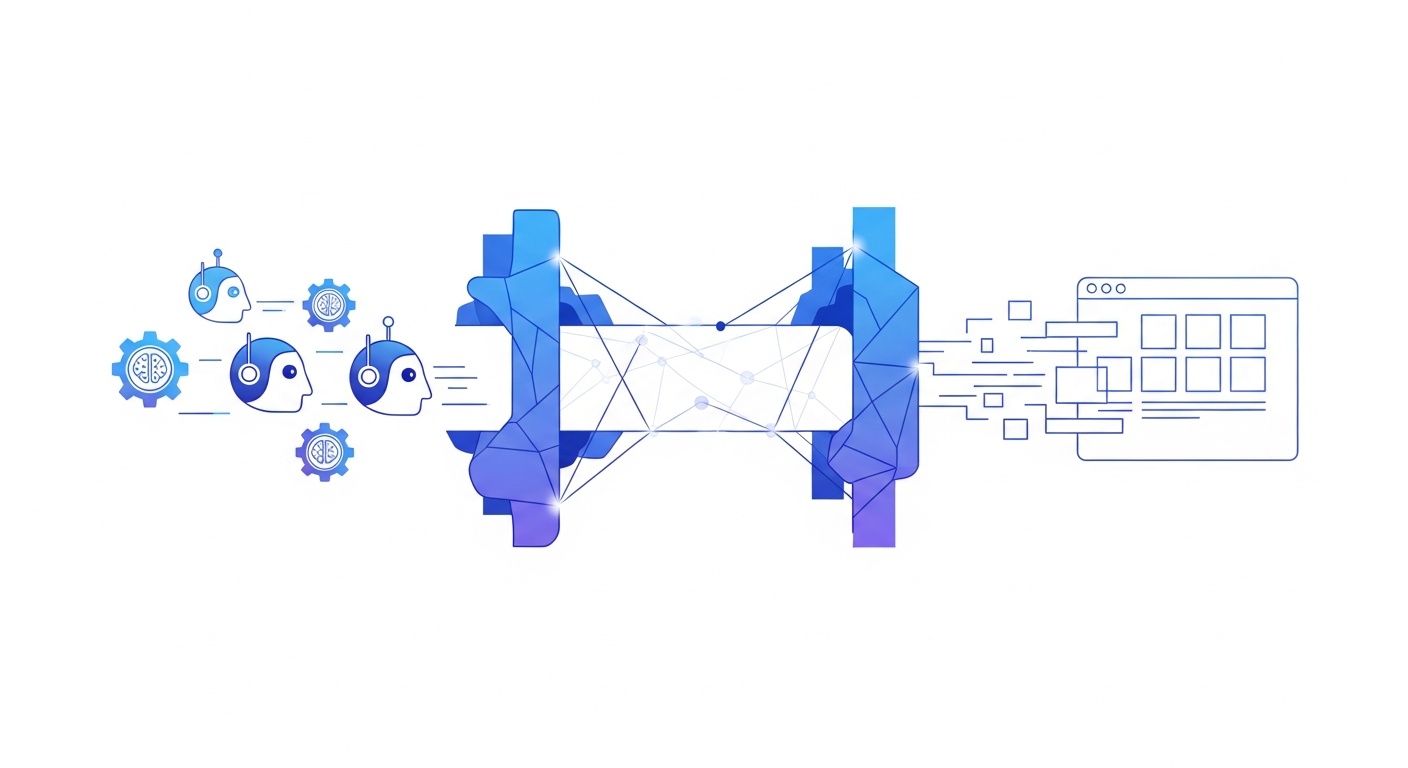
So we built WebMCP Gateway — an open-source MCP server that uses a headless Playwright browser to discover WebMCP tools on any website and expose them to Claude and ChatGPT. You install it, point it at a URL, and ask your question. The gateway handles the browser, the tool discovery, and the waiting.

┌──────────────┐      MCP       ┌──────────────────┐   Playwright   ┌──────────────────┐
│  Claude /     │ ◄───────────► │  WebMCP Gateway  │ ◄────────────► │  Any Website     │
│  ChatGPT      │   (stdio/sse) │  (MCP server)    │   (headless)   │  with WebMCP     │
└──────────────┘               └──────────────────┘               └──────────────────┘

This post walks through exactly how it works — the detection chain, the browser interception trick, the smart tool selection, and how to set it up in five minutes.

The Problem: Two Protocols, No Bridge

MCP is how AI assistants discover and call external tools. Claude Desktop, Claude Code, ChatGPT — they all speak MCP. You give them a server that exposes functions like search_docs(query) or create_ticket(title), and the AI calls them when it needs to.

WebMCP is how websites expose capabilities to AI agents in the browser. A website registers tools in JavaScript:

navigator.modelContext.registerTool({
  name: "ask_question",
  description: "Ask about our products",
  execute: async ({ question }) => {
    const answer = await callOurAPI(question);
    return { content: [{ type: "text", text: answer }] };
  }
});

The problem: these two don't talk to each other. Claude can't "visit" a website and call its WebMCP tools. There's no browser in the loop.

The gateway is that browser.

Architecture: How It Actually Works

The whole thing is about 300 lines of Python across five files. It's built as a pipeline with three layers, each one doing progressively more work.

Layer 1: Fast Detection — No Browser Needed

Spinning up a headless browser takes time and resources. Before we commit to that, we do something much cheaper: download the page HTML and scan it with regex.

def detect_webmcp_fast(url: str, timeout: float = 10.0) -> DetectionResult:
    try:
        with httpx.Client(timeout=timeout, follow_redirects=True) as client:
            resp = client.get(url, headers={"User-Agent": _USER_AGENT})
            html = resp.text
    except Exception:
        return DetectionResult(found=False, provider="none")

    # Check 1: Declarative forms — <form tool-name="ask_question">
    form_tags = re.findall(r'<form\b([^>]*\btool-name=[^>]*)>', html, re.I)
    if form_tags:
        # ... extract tool names and descriptions
        return DetectionResult(found=True, provider="webmcp_declarative", tools=tools)

    # Check 2: Imperative JS — navigator.modelContext.registerTool()
    register_matches = re.findall(
        r'(?:navigator\.modelContext|modelContext)\.registerTool\s*\(\s*\{'
        r'[^}]*name\s*:\s*["\']([^"\']+)["\']',
        html,
    )
    if register_matches:
        return DetectionResult(found=True, provider="webmcp_imperative", tools=tools)

    # Check 3: Any mention of navigator.modelContext
    if re.search(r"navigator\.modelContext", html):
        return DetectionResult(found=True, provider="webmcp_generic")

    return DetectionResult(found=False, provider="none")

Three checks in priority order: declarative HTML forms, imperative JS registrations, then any generic modelContext reference. This runs in milliseconds. If it finds nothing, we skip the browser entirely and save everyone the wait.

Layer 2: Browser Discovery — The Interception Trick

Here's where it gets clever. WebMCP tools are usually registered dynamically — JavaScript runs, widgets load asynchronously, and tools get registered after the page finishes rendering. You'll never find these with a static HTML scan.

So we launch headless Chromium and inject a script before the page even loads:

// Injected via page.add_init_script() — runs before ANY page JavaScript
(() => {
    window.__webmcp_tools = {};
    window.__webmcp_ready = false;

    const hookInterval = setInterval(() => {
        if (!navigator.modelContext) return;
        clearInterval(hookInterval);

        // Monkey-patch registerTool to capture every definition
        const original = navigator.modelContext.registerTool.bind(navigator.modelContext);
        navigator.modelContext.registerTool = (toolDef) => {
            window.__webmcp_tools[toolDef.name] = {
                name: toolDef.name,
                description: toolDef.description,
                inputSchema: toolDef.inputSchema || {},
                execute: toolDef.execute,  // Keep the callback!
            };
            original(toolDef);  // Still register normally — page works fine
        };
        window.__webmcp_ready = true;
    }, 50);
})();

This is the core trick: we wrap registerTool before the page's own scripts get to it. Every tool that registers itself gets captured — name, description, schema, and crucially, the execute callback. We store that callback because we're going to call it later.

The page doesn't know anything happened. Its tools still register normally. We're just eavesdropping.

On the Python side:

async with async_playwright() as p:
    browser = await p.chromium.launch(
        headless=True,
        args=["--enable-features=WebMCP"],
    )
    page = await (await browser.new_context()).new_page()

    await page.add_init_script(_INTERCEPT_SCRIPT)  # Before page load!

    await page.goto(url, wait_until="domcontentloaded")

    # Wait up to 15 seconds for tools to register
    await page.wait_for_function(
        "window.__webmcp_ready === true && "
        "Object.keys(window.__webmcp_tools).length > 0"
    )

    # Read what we caught
    tools = await page.evaluate("""
        Object.values(window.__webmcp_tools).map(t => ({
            name: t.name,
            description: t.description,
            inputSchema: t.inputSchema,
        }))
    """)

Layer 3: Smart Tool Selection and Invocation

A website might expose one tool or five. Some are simple Q&A (pass a question, get an answer). Others are structured (pass a category, price range, and feature list to search products). The gateway needs to figure out which one to call.

The logic is straightforward:

def _is_simple_question_tool(input_schema):
    """Does this tool just take a question string?"""
    props = input_schema.get("properties", {})
    if not props:
        return True  # No schema = treat as simple
    if "question" in props or "query" in props:
        return True
    return False

Selection priority:

1. If the AI passed tool_args (structured arguments) → find a structured tool

2. If the AI passed question → look for known Q&A names: ask_question, ask, chat, search, query

3. Fall back to the first tool that registered

And here's the smart part: if a structured tool is found but the AI only sent a question (no structured args), the gateway doesn't guess. It returns the tool's schema so the AI can fill in the fields and call again:

Claude: call_tool("travel.com", question="flights to Paris")
Gateway: "This tool needs structured args. Schema: {destination, date, passengers}"
Claude: call_tool("travel.com", tool_args='{"destination":"Paris","date":"2026-06-15"}')
Gateway: "Found 12 flights. Cheapest: $420 on Air France..."

Two-step dance. The AI figures out the right arguments on its own.

The Invocation Itself

Once we know what to call, one line of JavaScript does the real work:

const result = await tool.execute(args);

That await is the whole point. The tool's execute() returns a Promise that stays pending until the real answer is ready. For a chat widget backed by an LLM, that might take 5–30 seconds. The gateway waits. It doesn't return "message delivered" — it returns the actual response.

The result parsing handles whatever format comes back:

let answer = '';
if (typeof result === 'string') {
    answer = result;
} else if (result?.content && Array.isArray(result.content)) {
    // Standard MCP format: { content: [{ type: 'text', text: '...' }] }
    answer = result.content.filter(c => c.type === 'text').map(c => c.text).join('\n');
} else if (result && typeof result === 'object') {
    answer = JSON.stringify(result);
}

Tying It All Together: The MCP Server

All three layers are wrapped in a FastMCP server — five lines of setup, three tool definitions:

from mcp.server.fastmcp import FastMCP

mcp = FastMCP("WebMCP Gateway")

@mcp.tool()
def check_webmcp(url: str) -> str:
    """Fast HTTP check — does this URL have WebMCP tools?"""
    result = detect_webmcp_fast(url)
    return json.dumps({ "webmcp_detected": result.found, ... })

@mcp.tool()
def discover_tools(url: str) -> str:
    """Full browser discovery — find all tools with schemas."""
    result = browser_discover_tools(url)
    return json.dumps({ "tools": [...], ... })

@mcp.tool()
def call_tool(url: str, question: str = None, ...) -> str:
    """Call a WebMCP tool and get the actual response."""
    result = browser_call_tool(url=url, question=question, ...)
    return json.dumps({ "answer": result.answer, ... })

That's the entire server. Three tools that map to three layers of the pipeline.

Setup: Five Minutes to "Ask Any Website"

Install

git clone https://github.com/salespeak-ai/webmcp-gateway.git
cd webmcp-gateway
pip install -e .
playwright install chromium

Claude Desktop

Add to ~/Library/Application Support/Claude/claude_desktop_config.json:

{
  "mcpServers": {
    "webmcp-gateway": {
      "command": "webmcp-gateway",
      "args": ["--transport", "stdio"]
    }
  }
}

Restart Claude Desktop. Now you can ask something like: "Check if acme-corp.com has WebMCP tools and ask them about their enterprise pricing."

Claude will chain the calls itself:

1. check_webmcp("https://acme-corp.com") — fast pre-check

2. discover_tools("https://acme-corp.com") — find what's available

3. call_tool("https://acme-corp.com", question="What is your enterprise pricing?") — get the answer

Claude Code

Add to your project's .mcp.json:

{
  "mcpServers": {
    "webmcp-gateway": {
      "command": "webmcp-gateway",
      "args": ["--transport", "stdio"]
    }
  }
}

SSE Mode (Remote Clients, ChatGPT)

webmcp-gateway --transport sse --port 8808

Any MCP client that supports SSE transport can connect to http://your-server:8808.

Test Drive: The Demo Site

The repo includes a demo site (examples/demo_site.html) that registers two tools so you can try the full flow locally:

// A simple Q&A tool
navigator.modelContext.registerTool({
  name: "ask_question",
  description: "Ask about our products",
  execute: async ({ question }) => {
    await new Promise(r => setTimeout(r, 2000)); // Simulate LLM thinking
    return { content: [{ type: "text", text: "Our pricing starts at..." }] };
  }
});

// A structured search tool
navigator.modelContext.registerTool({
  name: "search_products",
  description: "Search by category and price range",
  inputSchema: {
    properties: {
      category: { type: "string" },
      max_price: { type: "number" }
    },
    required: ["category"]
  },
  execute: async ({ category, max_price }) => {
    // Filter products, return results
  }
});

Serve it and point Claude at it:

python -m http.server 8000 -d examples/
# Then ask Claude: "Discover tools on http://localhost:8000/demo_site.html"

When Claude calls call_tool with a question, the gateway launches a browser, discovers both tools, picks ask_question (it matches the Q&A pattern), calls await tool.execute({question: "..."}), waits 2 seconds for the simulated response, and returns the answer. The AI gets a real answer, not a confirmation.

The Codebase

src/webmcp_gateway/
├── __init__.py      # Package version
├── __main__.py      # python -m webmcp_gateway
├── cli.py           # CLI entry point (stdio/sse transport)
├── server.py        # MCP server with 3 tools
├── detect.py        # Fast HTTP-based detection (no browser)
└── browser.py       # Playwright discovery & invocation

Five files. About 300 lines of core code. The complexity isn't in the gateway — it's in the async patterns that websites use to respond. That's what the next post covers in depth.

The Bigger Picture

WebMCP Gateway is a bet on a future where every website is also an API. Where the line between "browsing" and "calling tools" disappears.

Today, if you want to compare pricing across three vendors, you open three browser tabs and manually read through each site. Tomorrow, you ask Claude:

You: "Compare pricing on store-a.com, store-b.com, and store-c.com"

Claude: [calls check_webmcp on all three]
Claude: [calls call_tool on each one that has WebMCP]
Claude: "Here's a comparison:
  - Store A: 30-day returns, free shipping. Pro plan $99/mo.
  - Store B: 14-day returns, $8 return shipping. Starts at $79/mo.
  - Store C: 60-day returns, free for members. Enterprise only, custom pricing."

The website decides what to expose. The AI decides what to ask. The gateway handles the plumbing.

Try it: pip install webmcp-gateway && playwright install chromium.

WebMCP Gateway is open source under the MIT license. Built by [Salespeak AI](https://salespeak.ai).

No items found.